Podcast hosting providers compared.
Which host fits you, what it costs and which platforms your podcast belongs on.
Without a host, your podcast does not reach Spotify, Apple Podcasts or YouTube. The host determines which numbers you see, how your video gets to the platforms and what you pay every month.
The short answer is this. For most business podcasts in the German-speaking market, a German host from about €9 a month is enough. My team and I prefer LetsCast.fm for our clients because every plan there has all features. If your video should land on YouTube, Spotify and Apple Podcasts with one upload, Podigee is stronger. Whoever does not want to pay anything takes Spotify for Creators and lives with its limits. If you are based outside the EU, the same criteria apply, but international hosts like Buzzsprout or Acast may be the better fit.
What does a podcast host do?
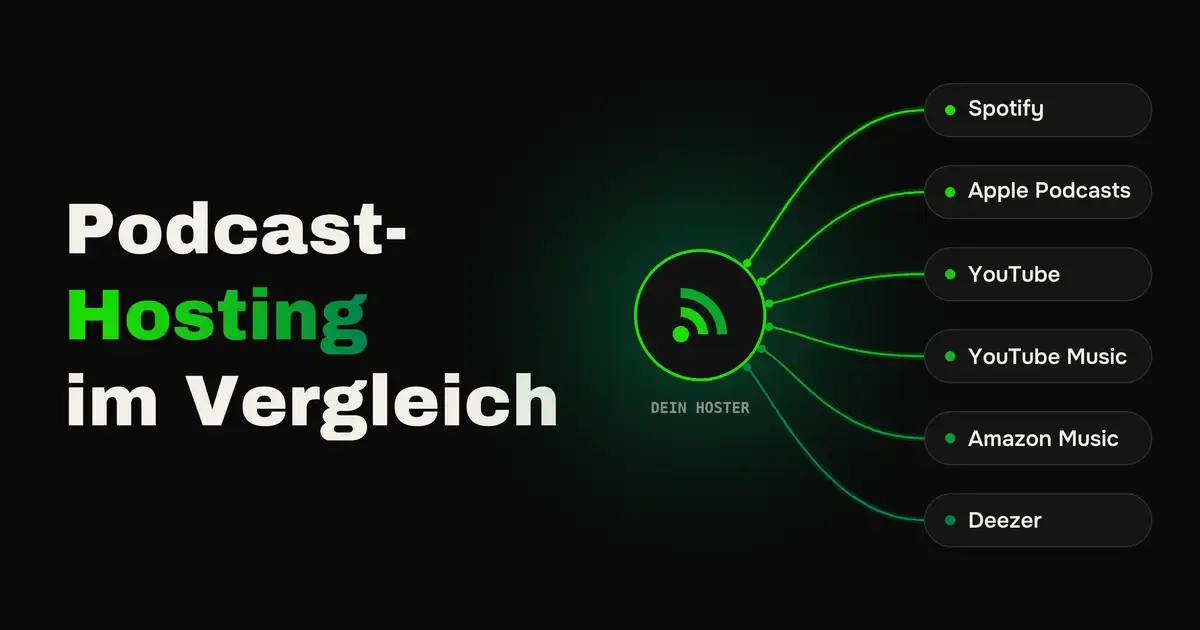
A podcast is not an upload to Spotify but an RSS feed. That is a file with all episodes, titles, descriptions and links to the audio files. Spotify, Apple Podcasts, YouTube and all other apps read it regularly and show new episodes automatically. The host turns that into a working system.
- Storing and delivering: Your files sit on its servers and reach listeners quickly, no matter how many listen at the same time.
- Generating the feed: You upload an episode, the host writes the feed. You submit it to the platforms once, after that everything runs automatically.
- Counting: The host measures every request, filters out bots and shows you episodes, apps and countries. What the numbers mean is in the article Understanding podcast statistics.
- Player and extras: A player for your website, often a podcast page, chapter markers, transcripts, private podcasts for employees.
Hosting on your own server pays off for almost nobody. Bandwidth, outages and a counting method the industry trusts would then be your problem.
Free or paid hosting?
The most important free host is Spotify for Creators, formerly Anchor. It costs nothing, has no storage limit, accepts audio and video and delivers an RSS feed through which your podcast also lands on Apple Podcasts, YouTube and in all other apps. You should know the limits.
- Detailed numbers only for Spotify: Plays, listening time and audience data exist only for Spotify itself; from all other apps you only see downloads.
- No third-party statistics services: An independent measurement service like OP3 cannot be integrated.
- Video only on Spotify: All other apps get the audio track; on YouTube you upload the video separately.
- Dependence: Spotify can suspend accounts for violations of its policies, and the advertising business around your podcast runs through Spotify.
Spotify for Creators is really good for podcasts that are finished or should only stay online as an archive. You upload the episodes once, and the podcast stays audible on all platforms without monthly costs.
A paid host, on the other hand, measures all apps by the same standard in one interface and lets you freely decide which services you connect additionally. Free plans of other hosts, such as Podigee Launch with 60 minutes of audio in total or Acast Starter with five episodes, are only good for trying out.
What matters when choosing
- Pricing model: Billing is by downloads, by uploaded hours or by features. With plans by features, the smallest package often lacks part of the statistics or the video export.
- Statistics: How long are the numbers stored, are bots filtered, and can you add OP3? OP3 is a free, open service that counts your downloads independently of the host.
- Video: Only some hosts bring your video to the platforms themselves; you find the lists below. Apple Podcasts has shown video since February 2026, but only from selected hosts.
- Data protection: The host is based in Germany or the EU, has its servers there and signs a data processing agreement with you. For companies, practices and consultants in Europe, this is often the decisive argument. With US hosts, your listeners’ data ends up in a third country.
- Moving: Does the host import your existing podcast, and does it set a redirect when you leave? Without a redirect you lose subscribers.
The most important podcast hosts compared
For the German-speaking market, these five providers are the most interesting.
| Base and servers | Price | Billing | Special | |
|---|---|---|---|---|
| LetsCast.fm | Hamburg, servers in Germany | from approx. €9/month or €89/year | by downloads, 5,000 to 100,000 per month | all features in every plan, OP3 with one checkbox |
| Podigee | Berlin, servers in Germany and the EU | from approx. €19/month or €210/year, trial plan free | by features and listener numbers | video to all major platforms, statistics in the entry plan only 90 days |
| podcaster.de | Berlin, hosting in Germany | from approx. €5/month | by upload, 250 MB (approx. 5 hours) per month | very cheap, unlimited downloads |
| Audiorella | servers in Germany and the EU | from approx. €12/month with annual billing | by downloads, from 25,000 per month | 14-day free trial |
| Spotify for Creators | Sweden | free | none | detailed numbers only for Spotify, no OP3 |
Approximate prices excluding VAT, according to the provider sites, approximate and subject to change. What a podcast costs overall is in the article How much does a podcast cost?
Audio-only hosts and hosts with video
YouTube accepts your podcast from any host via RSS feed, but only as audio with a still image. Only some hosts bring real video to the platforms themselves. With all others you upload the video additionally by hand, on YouTube and in Spotify for Creators. How that works on YouTube I show in the article Uploading your podcast to YouTube.
Hosts that distribute your video
- Podigee: One upload for YouTube, Spotify and Apple Podcasts, from the Starter plan at about €19 a month.
- Acast: Video on YouTube, Spotify and Apple Podcasts in a paid plan; the provider is based in Sweden.
- Buzzsprout: Video on YouTube, Spotify and Apple Podcasts, from about $30 a month; the provider is based in the US.
- podcaster.de: Video files in the feed, according to its own statement for Apple Podcasts, Spotify and YouTube. Because of the storage needed, podcaster.de recommends at least the Maxi package at about €20 a month.
- Spotify for Creators: Video runs only on Spotify.
Audio-only hosts
- LetsCast.fm: You cannot upload video files. You upload the video yourself to YouTube and Spotify for Creators; the audio runs everywhere via the feed.
- Audiorella: On YouTube your podcast lands with cover or animated waveform; Audiorella does not distribute real video.
Which host we recommend
For our clients, my team and I prefer LetsCast.fm.
- Every plan has everything: The packages differ only in the number of downloads; you have the full statistics even in the smallest one. At Podigee, in the entry plan they only go back 90 days.
- Open to independent numbers: At LetsCast you add OP3 with one checkbox. Podigee confirmed to us on request that OP3 is not possible there because it would deliver for free what Podigee offers in higher plans.
- Fair and small: A small German team, development and servers in Germany, and the price only rises when your podcast really grows.
The gap is video. At LetsCast you upload that yourself to YouTube and Spotify. That is a bit more manual work, but in return the YouTube video gets its own thumbnail and chapters, the way YouTube needs it.
- Podigee fits better if your video should go to YouTube, Spotify and Apple Podcasts with one upload or you want to insert ads automatically.
- podcaster.de fits if you produce little and are looking for the cheapest German host.
- Spotify for Creators fits if you do not want to pay anything or want to keep a finished podcast online permanently.
Your podcast has to be on these platforms
You only have to submit your feed yourself to a few platforms. After that they fetch every new episode automatically, and many smaller apps take your podcast from Apple’s directory or the open Podcast Index.
- Spotify: According to the Online Audio Monitor 2026, 52 percent of podcast listeners in Germany use Spotify. You register the feed via Spotify for Creators, even if you host elsewhere.
- YouTube and YouTube Music: Around 44 percent in Germany listen to podcasts on YouTube (Online Audio Monitor 2026). You submit the feed in YouTube Studio.
- Apple Podcasts: Preinstalled on every iPhone, submitted via Apple Podcasts Connect.
- Amazon Music: Important for everyone who listens via Alexa and Echo speakers.
- Other apps: These include Deezer, RTL+, Podimo, Pocket Casts, Overcast, Podcast Addict and fyyd. Check briefly whether you are listed; most hosts have guides for this.
You can cross off Google Podcasts and Stitcher. Google discontinued its podcast service in June 2024 and points to YouTube Music; Stitcher has been gone since August 2023.
Bonus
Switching hosts without losing subscribers
Your subscribers do not follow your host but your feed. When moving, the old feed therefore redirects all apps to the new one. Done right, your listeners notice nothing.
Step 1, move in at the new host
- Import episodes: Good hosts fetch your complete podcast from the old feed with one click, with cover, show notes and all episodes.
- Keep identifiers: Every episode has a unique identifier in the feed, the GUID. If it changes, episodes appear twice in the apps. Reputable importers carry it over; when in doubt, ask support.
- Check the email address: Your address has to be in the new feed; Apple, Spotify and YouTube send verification codes there.
Step 2, redirect the old feed
- Set a 301 redirect: At the old host you enter the address of the new feed as a redirect. At Spotify for Creators this only works in the browser under Settings, “Redirect podcast”; some hosts only do it via support.
- Apple and Spotify move automatically: Both follow the redirect, your followers stay. According to Apple, the redirect should remain for at least four weeks; at Spotify it takes up to seven days.
Step 3, bring YouTube and the rest along
- Check YouTube: In YouTube Studio under Content, Podcasts, Details you see which feed is connected. If new episodes do not arrive, disconnect the old feed and submit the new one. Choose only new episodes, otherwise YouTube uploads your old episodes a second time.
- Website and links: Swap the player on your website and all links that point directly to the old feed.
- Back up statistics: Your old numbers do not move with you. Export them before canceling.
Step 4, only then cancel
Cancel no earlier than after four weeks and only once new episodes arrive everywhere. Many hosts switch off the feed with the cancellation, and with it the redirect. Whoever cancels too early loses exactly the subscribers they wanted to take along.
Conclusion on podcast hosting providers
For most business podcasts in the German-speaking market, a German host from about €9 a month is the right choice, with full statistics and servers in Germany. We rely on LetsCast.fm. Whoever wants to distribute video everywhere automatically takes Podigee, whoever does not want to pay anything Spotify for Creators. And because a move with a redirect is possible at any time, you do not commit forever.
Frequently asked questions
A podcast host stores your episodes, generates the RSS feed from them and counts the requests. Through this feed, Spotify, Apple Podcasts, YouTube and all other apps fetch your episodes automatically.
Yes, that works with Spotify for Creators. It costs nothing and distributes your podcast via RSS feed to all platforms. But detailed numbers exist only for Spotify, video runs only there, and third-party statistics services cannot be integrated.
German hosts cost about €5 to €20 a month for a normal business podcast, for example podcaster.de from about €5, LetsCast.fm from about €9 and Podigee from about €19. Spotify for Creators is free.
Podigee, Acast and Buzzsprout bring your video to YouTube, Spotify and Apple Podcasts themselves, podcaster.de according to its own statement as well. Spotify for Creators shows video only on Spotify. With audio-only hosts like LetsCast.fm you upload the video yourself to YouTube and Spotify.
Yes, without losing subscribers. You import your episodes at the new host and set up a 301 redirect to the new feed at the old one. Apple, Spotify and most apps then move automatically.