Automating your podcast with AI.
What Claude and ChatGPT can do on their own today, and when you need n8n, Make or Zapier.
The episode is recorded, and now the real work begins. Transcript, show notes, title, chapters, posts, newsletter and the email to the guest all want to be done, every week with the same steps.
The short answer is this. Almost everything after the recording can be automated today, and much of it Claude or ChatGPT can now handle on their own, because via connectors they access Google Drive, Notion or your inbox directly. You need n8n, Make or Zapier as soon as processes should start without you, run exactly the same way every time or connect many tools. This article shows you exactly where the line is, in four levels from a simple prompt to your own workflow.
What you can automate about your podcast
- Transcript creation, with speakers and timestamps
- Show notes, title and chapter markers from the transcript
- Social media posts and clips for LinkedIn, Instagram and YouTube Shorts
- Newsletter about the new episode
- Blog article with player and transcript on your website
- Promo material for guests, so they share the episode
- Guest management from booking the date to the thank-you
- Episode archive with summary, quotes and highlights
What you should not automate is what makes your podcast yours. Your opinion, your stories, the conversation and the approval of what appears under your name.
The difference between AI and automation
Both take work off your hands, but they work in fundamentally different ways.
An AI assistant like Claude or ChatGPT decides anew with every request what it does. It understands context, writes text and copes with incomplete information. In return, the result is never exactly the same, and it only works when you prompt it or a schedule does.
A workflow tool like n8n, Make or Zapier works like a marble run. A marble drops in at the top, say “new episode is online”, and it rolls from station to station. Each station does one task and triggers the next. That runs the same way every time, at night and on vacation too, logs every run and in return understands nothing you have not described to it precisely beforehand.
A workflow consists of three building blocks. The triggerthat starts it, the stepsthat happen one after another, and conditionsthat define what happens only in certain cases, for example only for interview episodes.
The connection between the two is called MCP, Model Context Protocol. That is an open standard Anthropic introduced in late 2024 and that OpenAI now supports as well. Via MCP, an AI accesses other programs, and workflow tools can in turn build in AI models as a station. So the lines are blurring, and that is exactly why the four levels are worth a look.
The four levels of podcast automation
Level 1, a project with fixed instructions
You create a project for your podcast in Claude or ChatGPT and store your audience, tone, format requirements and two or three good examples once. After that, the transcript and one sentence per episode are enough. You need no setup and no technology for this, and for many solo podcasters that is already half the battle. Advanced users additionally pack recurring processes into custom GPTs or Claude Skills that you call up with a command. Which prompts prove themselves I show you in the article with ready-made AI prompts for podcasters.
Level 2, the AI with connectors
Via connectors, the AI reads and writes directly in your programs. It fetches the transcript from Google Drive, files the finished episode package as a document in Notion and prepares the email to the guest as a draft in Gmail. Both assistants also offer scheduled tasks that run at fixed times, for example a topic research for the next episode every Monday.
This is the level that makes many workflows unnecessary. Its limit is where something should react to an event without you. The assistants still react only to a limited extent to things like “new episode in the RSS feed”.
Level 3, the workflow tool with AI stations
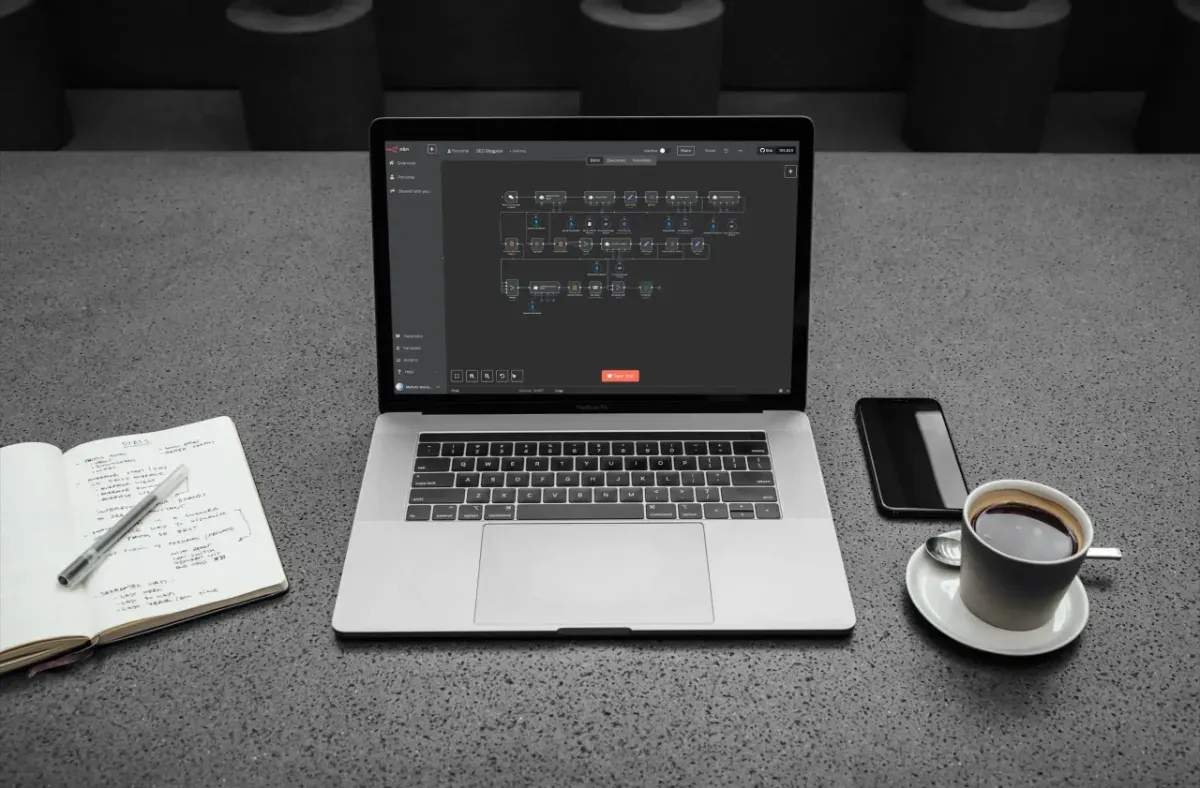
Here the process runs fixed, and the AI is one station within it. A typical example is an n8n workflow that watches your host’s RSS feed. When a new episode appears, it downloads the audio file, has it transcribed, sends the transcript to a language model, creates a blog article from it as a draft in WordPress and sends you an email with an approval link. You click “Approve”, and the rest continues.
Level 4, agents with tools
An agent gets a goal instead of a fixed sequence and decides for itself which tools it uses. n8n, Make and Zapier offer their own AI agent building blocks for this. And via MCP it also works the other way around. n8n can provide a finished workflow as an MCP server, Zapier offers MCP access to its apps. You then write to Claude “Publish yesterday’s episode as a blog article”, and in the background your proven process runs. Powerful, but not yet as reliable as level 3 when many decisions are needed in a row.
How you know you need a workflow tool
- It should start without you: For example a new episode appears in the feed, a guest books a date or a listener sends a voice message. Events in other programs are the domain of workflow tools.
- It has to run exactly the same every time: A blog article with always the same structure, a promo kit with fixed content. A workflow follows rules, an AI interprets.
- Many tools are involved: Host, transcription, WordPress, newsletter, project management and email hang together in one process, with branches and conditions.
- It is about volume: Several podcasts or many episodes at once, for example if you want to turn your whole archive into blog articles retroactively.
- You want control: Every run is logged, errors are traceable, and n8n can be run on your own server in the EU.
| Task | AI assistant is enough | Workflow tool pays off |
|---|---|---|
| Show notes, title, chapters | Yes, with project and prompt | If they should land at the host automatically |
| Social media posts | Yes, as drafts in a folder | If they should be scheduled automatically |
| Newsletter | Yes, as a draft | If it should be created by itself for a new episode |
| Blog article for the episode | Draft yes | With player, transcript and publishing in WordPress |
| Promo kit for guests | Content yes | Automatic sending after every interview episode |
| Guest management | Individual emails | Booking, reminders and follow-up as a chain |
| Episode archive | When needed | Automatically in a fixed folder for every episode |
What nobody tells you beforehand
Most guides show how quickly you can click together a workflow. But these points decide whether it still runs after three months.
- Your AI subscription does not cover workflows: When n8n, Make or Zapier call a language model, that runs via the API of OpenAI or Anthropic, with your own key and usage-based billing. A one-hour transcript is roughly 8,000 to 9,000 words, processing it usually costs only a few cents per episode.
- The transcript is the foundation: Every error in it ends up in all the texts after it. Misspelled names, companies and technical terms are the most common source. Give the transcription service a list of names, and have the AI flag uncertain passages instead of guessing.
- AI outputs need a fixed form: So a workflow can continue working with the result, the AI must always answer in the same format, for example with fixed fields for title, description and chapters. n8n, Make and Zapier support such structured outputs.
- Approval before publishing: Build an approval step in front of every step that makes something public or sends it. n8n, for example, can send an email with an approval button and only continue after your click.
- Never send anything twice: If a workflow aborts and restarts, the guest must not get the promo kit twice. Store which episode has already been processed, for example in a simple spreadsheet.
- Social media APIs are restricted: Posting directly to Instagram or LinkedIn only works with suitable accounts and approvals. Easier is a scheduling tool like Buffer or Metricool as an intermediate station where the posts land as drafts.
- Connectors need limits: An AI with write access can also do wrong things, for example if a document contains hidden instructions. Give only the permissions that are necessary, always have emails created as drafts and do not allow deleting.
- Workflows want maintenance: APIs change, credentials expire. Get notified automatically about errors and look at the logs once a month.
n8n, Make or Zapier compared
All three connect programs with each other, integrate AI models and now offer their own agents. They differ above all in ease of entry, cost and data protection.
| Zapier | Make | n8n | |
|---|---|---|---|
| Ease of entry | Easiest | Medium, very visual | More demanding, more technical |
| Connections | Over 8,000 apps | Several thousand apps | Hundreds of ready-made nodes, plus any API via HTTP |
| Cost | Free entry, quickly expensive with many runs | Free with 1,000 credits per month, affordable plans | Self-hosted free, cloud from about €20 to €24 per month |
| Billing | Per task | Per step (credits) | Per run, no matter how many steps |
| Data protection | Data stored in the US | EU data center selectable | Own server in the EU possible |
| Strong at | Fast, simple processes | Multi-step processes with conditions | Complex processes, own code, AI agents |
Prices and figures according to the providers and comparison sites, approximate and subject to change. n8n is under its own fair-code license: the source code is open, but commercial resale is restricted.
The workflows that pay off for podcasters
We built the first three processes at Studio M with n8n, the other two are proven classics.
Promo kit for interview guests
New interview episode in the feed → guest name from the episode data → transcript → AI picks the three strongest quotes and writes finished posts for LinkedIn and Instagram → email to the guest with link, quotes and posts. Every guest becomes a distributor of your episode this way.
A blog article from every episode
New episode → transcript → AI writes an article on the episode’s topic with subheadings and FAQ → draft in WordPress with embedded player and complete transcript → approval by email. This way your content is also found in writing, by Google and by AI search engines.
Your episode archive
After every release, a document with transcript, summary, highlights and quotes automatically lands in a fixed folder. If you later connect this folder to Claude as a connector, you can query your whole archive, for example “Which episodes were about pricing, and what did the guests say about it?”.
Guest management
Guest fills in a form → booking via Calendly or cal.com → task in project management → preparation email with tech check and questions → reminder the day before → after the episode a thank-you with link.
Collecting listener questions
Questions or voice messages via a form or a service like SpeakPipe → automatically transcribed and sorted by topic → land in your topic list for upcoming episodes.
Data protection in podcast automation
- Ask your guests before you send their transcript through AI services, ideally already in the invitation.
- Sign data processing agreements with the services that process personal data. The big providers offer them.
- Check the training settings: Via the APIs of OpenAI and Anthropic, data is not used for training by default; in the chat apps you have to check this in the settings.
- Keep the data in the EU where possible. Make offers EU data centers, n8n runs on your own server in the EU, so at least the process itself stays in Europe.
Bonus
The complete episode package with one prompt
This prompt turns a transcript into everything you need for publishing in one pass. It analyzes the episode first, then writes, checks itself and files the result in your folders. It works best in a project where audience, tone and examples are stored, with Google Drive or Notion and Gmail as connectors.
Prompt
You are the managing editor of my podcast [name]. You work thoroughly, invent nothing and deliver texts I can publish with few changes. ## Inputs Transcript with timestamps: [upload or file name in Drive] Episode: [number], format: [solo or interview], guest: [name, role, website, LinkedIn] Goal of the episode: [for example intro calls, newsletter sign-ups] Key search term: [if known] Storage location: [folder in Drive or page in Notion] ## Step 1, analysis (think first, then write) First create a short analysis and show it to me before anything else: 1. Core message of the episode in one sentence. 2. The three to five most important insights with timestamp. 3. The five strongest quotes verbatim with timestamp and speaker. 4. All names, companies, figures and technical terms as a list. Mark anything that sounds uncertain in the transcript with [CHECK]. 5. The most surprising moment of the episode. ## Step 2, texts Use only content from the transcript and the analysis. A. Titles: 8 suggestions with at most 60 characters, two each as a question, as a concrete result, as a pointed thesis and as a quote. The most important word sits within the first 30 characters. Recommend the best two with one sentence of reasoning each. B. Show notes: hook in two sentences, the first 150 characters work on their own. Then the insights as a short list, a paragraph about the guest, links only if they are mentioned in the conversation, and one sentence with a call to action matching the episode’s goal. C. Chapters for YouTube and Spotify: first marker at 00:00, at least three chapters of at least ten seconds each, named like small headlines that spark curiosity. D. LinkedIn post about the most surprising moment: first line as a hook without “see more”, short story, one clear insight, one question for readers, at most 1,300 characters, at most three hashtags. E. Instagram: three hooks for Reels with at most 10 words and a caption with at most 400 characters. F. Newsletter: subject line with at most 45 characters, preview line with at most 90 characters, personal opening, one insight that helps even without the episode, one concrete step for today, link placeholder [LINK]. At most 220 words. G. Interview episodes only, promo kit for the guest: thank-you email in my tone, the guest’s two best quotes, a finished LinkedIn post from their perspective and the link placeholder [LINK]. ## Step 3, self-check Check every text before output and revise if necessary: Is every statement in the transcript as such or in substance? Are all quotes verbatim and attributed to the right speakers? Does the text sound like the examples in the project instructions, without filler phrases like “exciting episode”? Are all length limits met? ## Step 4, filing Create a document named “[date] Episode [number] [working title] Episode package” at the storage location, structured into analysis and texts A to G. Create the email to the guest only as a draft in Gmail. Do not send, publish or delete anything and do not overwrite existing files. If a connector is missing, output everything here in the chat. ## Closing Finally reply briefly with the link to the document, your two title recommendations and all passages marked [CHECK].
You check the marked passages, adjust what does not sound like you, and approve. If you use this prompt the same way every week, save it as a custom GPT or Claude Skill. And as soon as you wish it would start by itself when a new episode is online, it is time for your first workflow.
Conclusion on podcast automation with AI
For a large part of the work after the recording, you no longer need a workflow tool today. A project with fixed instructions and connectors gets you very far in Claude or ChatGPT. n8n, Make or Zapier pay off as soon as processes should start without you, run exactly the same way, connect many tools or need to be logged. Start with the AI and build workflows where you repeat yourself every week.
Frequently asked questions about podcast automation with AI
No, and you should not. Recording, stance and conversation stay with you, as does the approval. Almost everything after that can be automated: transcript, show notes, title, chapters, social media posts, newsletter, blog article and communication with guests.
Not necessarily, because as long as you trigger a process yourself and check the result, Claude or ChatGPT with connectors are often enough. You need a workflow tool if something should start without you, has to run exactly the same every time, connects many tools or should be logged.
MCP stands for Model Context Protocol, an open standard through which AI assistants like Claude or ChatGPT access other programs, such as Google Drive, Notion or Gmail. With it, the AI can not only write texts but also file them where you need them, or trigger workflows in n8n and Zapier.
No, because when a workflow tool calls a language model, that runs via the provider’s API with its own key and its own usage-based billing. For a one-hour transcript that usually costs only a few cents, but it is separate from the subscription.
Zapier is the easiest, Make is cheaper and more visual, n8n is the most flexible and can be run on your own server in the EU. We build our workflows at Studio M with n8n.