Mobile video podcast setup in studio quality 2026

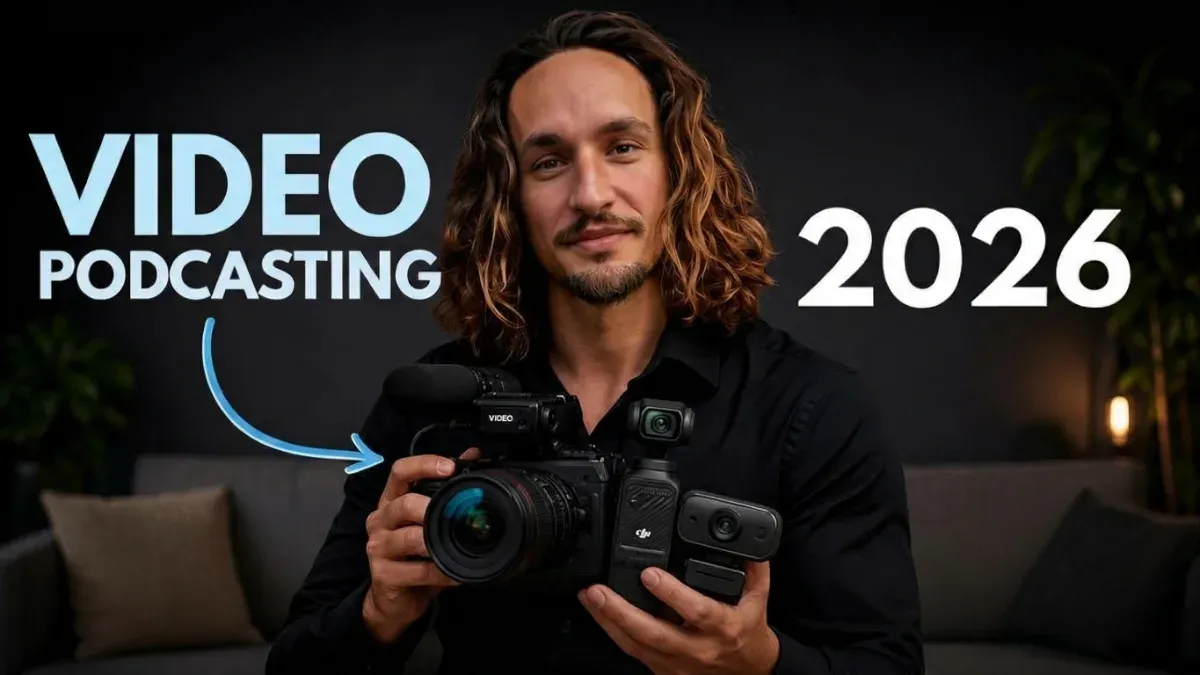
Video podcasting 2026, creator holding a camera and a small gimbal camera for his video podcast setup

Tracking cameras and USB microphones compared.

Scroll through YouTube Shorts or Instagram Reels for five minutes and only look at the podcast clips. Notice anything? Most of them look the same. iPhone on a tripod, a ring light reflected in the glasses, an image that is somehow okay but nothing more. And that is exactly why you keep swiping.

Yet a video podcast setup that pops needs neither a studio nor a €3,000 camera. A decent USB microphone and a small gimbal camera that automatically follows your face are completely sufficient. The whole thing fits in a backpack, is set up in a few minutes and works at home just as well as in a hotel room or at a client’s office.

In this article you get the complete package. I compare the cameras from DJI, Insta360 and Feiyu with all technical specs and approximate prices, show you USB microphones from around €100 to €300 and explain how to record solo episodes and interviews with them. After that you do not have to piece anything together yourself.

Bonus

And at the very end, a bonus is waiting for you.

A setup trick for interview podcasts that not even ChatGPT can tell you, because almost nobody uses it yet. I will not reveal what it is here. Just this much: if you record interviews in video format, you will ask yourself why you have not been doing it this way all along.

Why a gimbal camera and not just your iPhone?

A gimbal camera gives you, without any prior knowledge, an image that visibly stands out from the typical phone look. It is small, costs a fraction of a big mirrorless camera and comes with features like automatic face tracking and its own color profiles built in. Exactly these little things make your clips stand out in the feed and get clicked.

Let me be honest. The iPhone has a really good camera, but very few people get out of it what is in there. Frame rate, exposure, focus, color profile: hardly anyone sets these deliberately. In the end you film with the default settings, and the result looks like everyone else’s.

Gimbal cameras are built so that you do not have to think about exactly that. You switch them on, point them and record. And still the image is different, and you notice it, even if you cannot say exactly why.

Movement in the picture, without editing for it

For me this is the biggest advantage for Shorts and Reels. The camera turns slightly with you when you move and keeps you in the center of the frame. That creates a calm, natural movement in the picture that a fixed phone simply lacks.

In the feed it looks more alive, almost as if someone were standing behind the camera. You get this effect for free, without keyframes, without zoom effects in the edit, without extra work. And if you want it completely still, you simply switch the tracking off.

A look that does not look like a phone

Most gimbal cameras have a 1-inch sensor. It is considerably larger than the main camera in most smartphones and gives you more depth in the image, meaning a slightly softer background and less noise when the light is not perfect.

Add to that their own color profiles and looks. DJI, for example, offers various film looks and a flat profile for color grading, Insta360 an image tuning developed together with Leica. You can use them to give your podcast a color of its own that people recognize after a few videos.

These are often just nuances. But in the feed, exactly such a nuance decides whether someone stays or swipes on. If your clip looks minimally different from the ten before it, it stands out. And what stands out gets clicked.

Small, affordable and set up in five minutes

A good mirrorless camera with a lens quickly costs three to five times as much as a gimbal camera, and then you still need a tripod, batteries, memory cards and a bag that fits all of it. A gimbal camera weighs around 200 grams, fits in your jacket pocket and runs for several hours on one charge.

In everyday life that means you simply always have it with you, at the client meeting, on vacation or in the coworking space. And if you want to record an episode spontaneously, it no longer fails because your equipment is at home.

What is a gimbal camera with face tracking?

A gimbal camera is a small handheld camera with a built-in gimbal, a motorized mount that compensates for shakes. With face tracking it recognizes your face or head and automatically turns with you when you move. So you always stay in the center of the frame without anyone having to stand behind the camera.

Every manufacturer calls the feature something different. At DJI it is ActiveTrack, at Insta360 Deep Track, at Feiyu simply AI tracking. The principle is the same everywhere, but the quality differs, above all in how quickly and how smoothly the camera follows.

For a podcast this means, very practically, that you can frame tighter. With a fixed camera you have to leave generous room so you do not slide out of the frame when you lean back or talk with your hands. With tracking you can get closer, and that feels more personal. In the end, this closeness is what makes a podcast.

One tip I will give you anyway. Make a test recording before the first real episode. If you gesture a lot or someone leans into the frame, the camera can briefly readjust. For some that looks lively, for others restless. You notice that after five minutes of test recording, and then you know whether to switch tracking on or off.

Gimbal cameras compared: these are the brands

The three big makers of gimbal cameras with face tracking are DJI, Insta360 and Feiyu. DJI has the best-known line with the Osmo Pocket, Insta360 entered the market in 2026 with the Luna series and attacks head-on, Feiyu is the affordable alternative.

The table gives you all the important specs at a glance. Below it I explain what the numbers mean for your podcast.

Model Sensor Video max. Tracking Storage Battery per manufacturer Special feature Price approx.
DJI Osmo Pocket 3 1 inch 4K, 120 fps ActiveTrack 6.0 microSD up to approx. 166 min rotating screen for portrait and landscape €300
DJI Osmo Pocket 4 1 inch 4K, 240 fps ActiveTrack 7.0 107 GB internal up to approx. 240 min direct connection to DJI wireless mics, gesture control €500, Creator Combo €620
DJI Osmo Pocket 4P 1 inch plus 1/1.28-inch tele 4K, 240 fps ActiveTrack 8.0 103 GB internal plus microSD up to approx. 210 min second lens with 3x optical zoom €600, Vlog Combo €690
Insta360 Luna Pro 1 inch 8K, 30 fps, 4K, 120 fps Deep Track 5.0 47 GB internal plus microSD up to approx. 4 h Leica lens, detachable display €600
Insta360 Luna Ultra 1 inch plus 1/1.3-inch tele 8K, 30 fps, 4K, 120 fps Deep Track 5.0, up to 8 people 47 GB internal plus microSD up to approx. 4 h two Leica lenses, detachable display €730
Feiyu Pocket 3 1/2.3 inch 4K, 60 fps AI tracking microSD not specified detachable camera head with wireless grip €230
Feiyu Pocket 4 1/1.55 inch, 50 MP not specified AI tracking 64 GB internal not specified large display, 4x zoom, only just available for pre-order €300

Prices are approximate values approximate. They change constantly, especially with deals and after the launch of new models. Best check with a retailer before buying.

DJI Osmo Pocket, the top dog

Ask anyone who knows vlogging cameras and the name Osmo Pocket almost always comes up first. DJI practically invented this category and has been the benchmark for years. For you that means mature technology, plenty of tutorials online and endless accessories.

The Osmo Pocket 4 has been on the market since April 2026 and for most podcasters is the camera you cannot go wrong with. 1-inch sensor, 4K at up to 240 frames per second, 107 GB of storage built right in, so no memory card you can forget at home. You start tracking with a palm toward the camera, recording with a V sign. Sounds like a gimmick, but it is extremely practical when the camera is on the table a meter away.

Really strong is the direct connection to the DJI wireless microphones Mic 2, Mic 3 and Mic Mini. The audio then lands directly in the video file without a receiver and without cables. If you move a lot or record standing up, that is a nice complement to the USB microphone.

The Osmo Pocket 3 is the previous model and has become considerably cheaper since the launch of the Pocket 4. Also a 1-inch sensor, also very good tracking, just one generation older. If you do not need the latest, this is currently the best deal on the market.

The Osmo Pocket 4P adds a second lens with 3x optical zoom on top. That gives you tight framing without zooming digitally and losing quality. For interviews where the camera stands a bit further away, that is a real advantage. For solo episodes at your desk you do not need it.

Insta360 Luna, the new challenger

You may know Insta360 from their 360-degree cameras. In 2026 they entered DJI’s territory with two gimbal cameras of their own, and not with a cheap copy, but with lenses developed together with Leica.

The Luna Ultra has been available since June 2026 and costs around €730 in Germany. It has two lenses, films in 8K and can track up to eight people at the same time. In a first test at Newsweek its tracking even outperformed that of the Osmo Pocket 4. For roundtables with several people that is exciting.

The Luna Pro arrived in September 2026, has only one lens and costs about €600. It also films in 8K, which for a podcast is honestly more than you will ever need. The advantage is rather that you can still pull tight crops from an 8K image later in the edit without it getting mushy.

My impression: the Luna cameras are for you if image quality is your top priority and the budget fits. But it is the first generation, and first generations tend to have teething problems. If you want to play it safe, stay with DJI.

Feiyu Pocket, the affordable alternative

Feiyu is the brand hardly anyone has on their radar, even though they have been building gimbals for years. The Feiyu Pocket 3 costs around €230 and has a clever trick up its sleeve. The camera head detaches from the grip and can be controlled wirelessly. That lets you place the camera in spots a normal gimbal cannot reach.

The catch is the sensor. It is considerably smaller than at DJI or Insta360, and in low light you see that immediately. A small LED light gets that under control, but it does not come close to the image quality of the big two.

The Feiyu Pocket 4 has been available for pre-order since October 9, 2026, for about €300. It has a larger sensor, AI tracking and a large display. On paper that sounds strong, but there are hardly any independent tests yet. I would wait until the first real reviews are in.

Which camera would I buy?

For most freelancers, coaches and consultants I would take the DJI Osmo Pocket 4. It is the best mix of image quality, tracking, price and mobility, and it has the most tests and reviews behind it. With it you are equally set for solo episodes, Shorts and interviews.

If you want to save, take the Osmo Pocket 3. And if you want maximum image quality and the roughly €730 do not hurt, look at the Insta360 Luna Ultra.

Which USB microphones suit a mobile setup?

USB microphones suit a mobile video podcast setup because you connect them directly to a laptop, smartphone or even to the Osmo Pocket. You need no audio interface, no XLR cables and no extra power supply. Good models start at around €100, the Shure MV7+ as the top class is just under €300.

And now comes the sentence I tell every client. Audio matters more than video. People forgive you a slightly softer image, but not echoey, thin or noisy audio. After a minute at the latest, they are gone. So if you have to save, save on the camera and not on the microphone.

Model Type Connection Strengths Best for Price approx.
Elgato Wave:3 condenser USB-C clipping protection, mixing software quiet rooms at home €110 to €150
Audio-Technica AT2020USB-X condenser USB-C proven classic, warm sound quiet rooms at home €130
Rode NT-USB+ condenser USB-C built-in sound processing beginners with a quiet room €150
Rode PodMic USB dynamic USB-C and XLR picks up little room, sound adjustable via app on the go, value for money €180
Shure MV7+ dynamic USB-C and XLR automatic leveling, noise reduction, touch mute on the go, best sound quality €280 to €300

Prices are approximate values approximate and can change at any time.

Dynamic or condenser: what do you take on the go?

On the go I would always reach for a dynamic microphone, so the Rode PodMic USB or the Shure MV7+. Dynamic microphones mainly pick up what happens directly in front of them and considerably less of the room around them.

Why is that so important? Because on the go you never know where you will end up. A hotel room with bare walls, a meeting room with a glass front, a café with a coffee machine in the background. A condenser microphone sounds beautiful in a quiet, treated room, but in such an environment it pulls in every echo and every noise. Which microphone fits which room I explain in detail in the article The right podcast microphone.

A nice bonus of the two dynamic models is the additional XLR connection. If at some point you do build a fixed studio with an audio interface, your microphone simply comes along instead of you buying a new one.

How do audio and video come together?

Now comes something very few people know. For your USB microphone you do not even need a laptop. The DJI Osmo Pocket 4 and also the Pocket 3 have a USB-C port on the battery handle to which you connect your USB microphone directly. The audio then lands cleanly in the video file, without a second device and without syncing in the edit.

The battery handle comes with the camera depending on the bundle or as an accessory. And try out your microphone briefly before the first real recording, because not every USB microphone is recognized by every camera.

If you do record via laptop or smartphone, audio and video end up in two different files. That sounds complicated, but it is not. The camera still records audio with its built-in microphone, and editing programs like DaVinci Resolve, Final Cut or Premiere automatically align both tracks using that audio.

A little old-school trick in case the automatic sync does not kick in. Clap your hands loudly once at the start of the recording. You see the spike in both audio tracks immediately, and then you line them up by hand.

How does the A/B angle work in video podcasts?

With the A/B angle you film with two cameras from two angles. The A camera shows you head-on, the B camera from the side or in a different framing. In the edit you switch between both images. That keeps the video alive and makes cuts invisible.

Honestly, this is the cheapest trick to look like television. A second camera, and suddenly your video looks as if a whole team had worked on it.

But the real advantage is in the edit. You misspoke? You beat around the bush for a minute? With a single camera the image visibly jumps when you cut such a passage. With two cameras you simply put the cut on the other angle, and nobody notices a thing.

Place the A camera head-on at eye level and choose a framing roughly from the chest up. The B camera goes 30 to 45 degrees to the side, ideally a bit tighter so the difference is clear. It is important that both cameras film at the same resolution, the same frame rate and, if possible, the same color profile, otherwise the color jumps when you switch.

By the way, the B camera does not have to be the top model. An Osmo Pocket 3 as the second camera next to a Pocket 4 works great.

Video podcast setup for interviews with two people

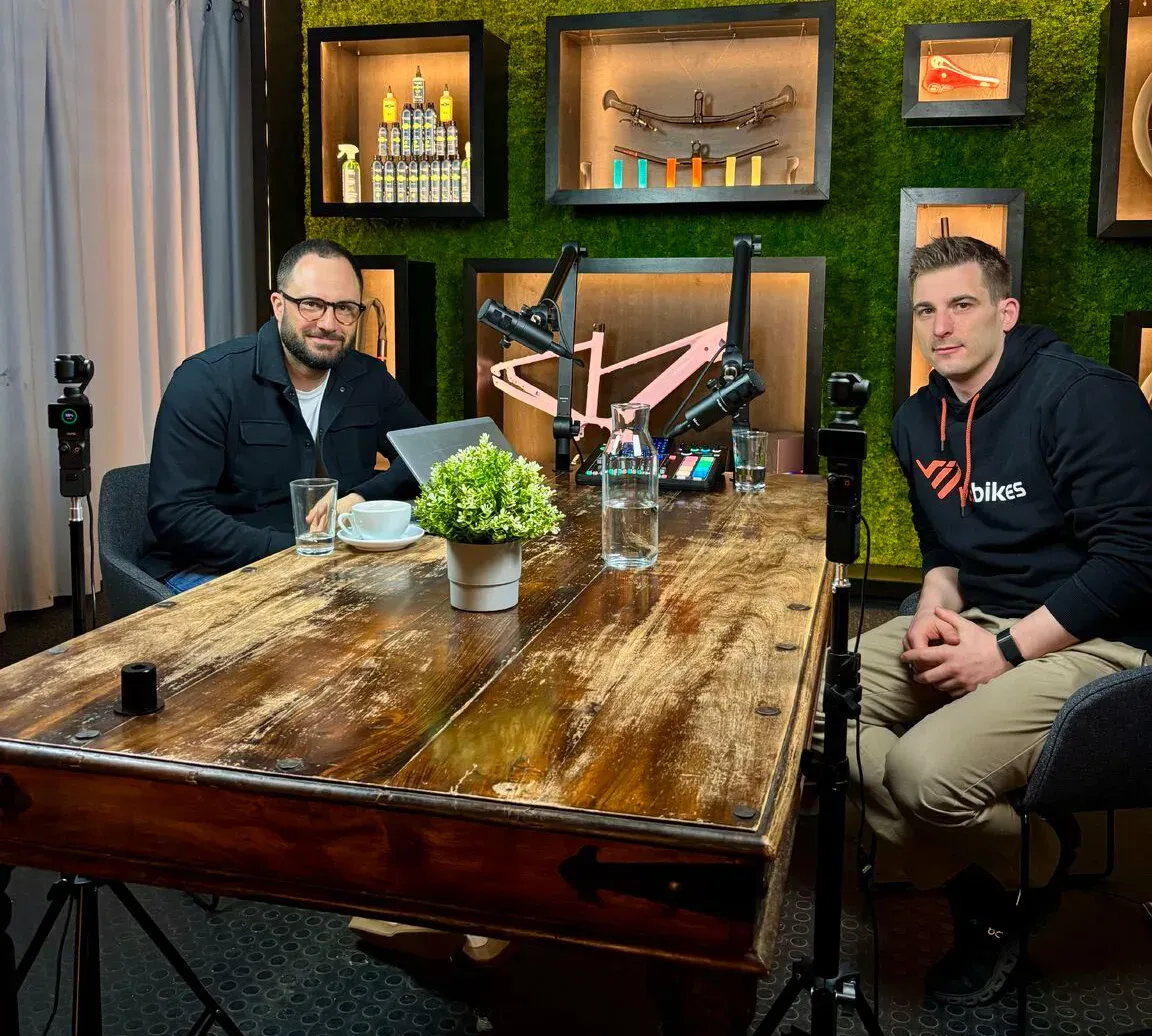
For an interview you need one camera and one microphone per person. Each camera is pointed at one person and tracks them. If you like, add a third camera for the wide shot that shows both. In the edit you then switch between speaker, listener and wide shot.

Do not underestimate the listener angle. Your guest’s reaction, a nod, a laugh, a skeptical look, is often exactly the moment that makes a Short good in the first place.

Important with two microphones

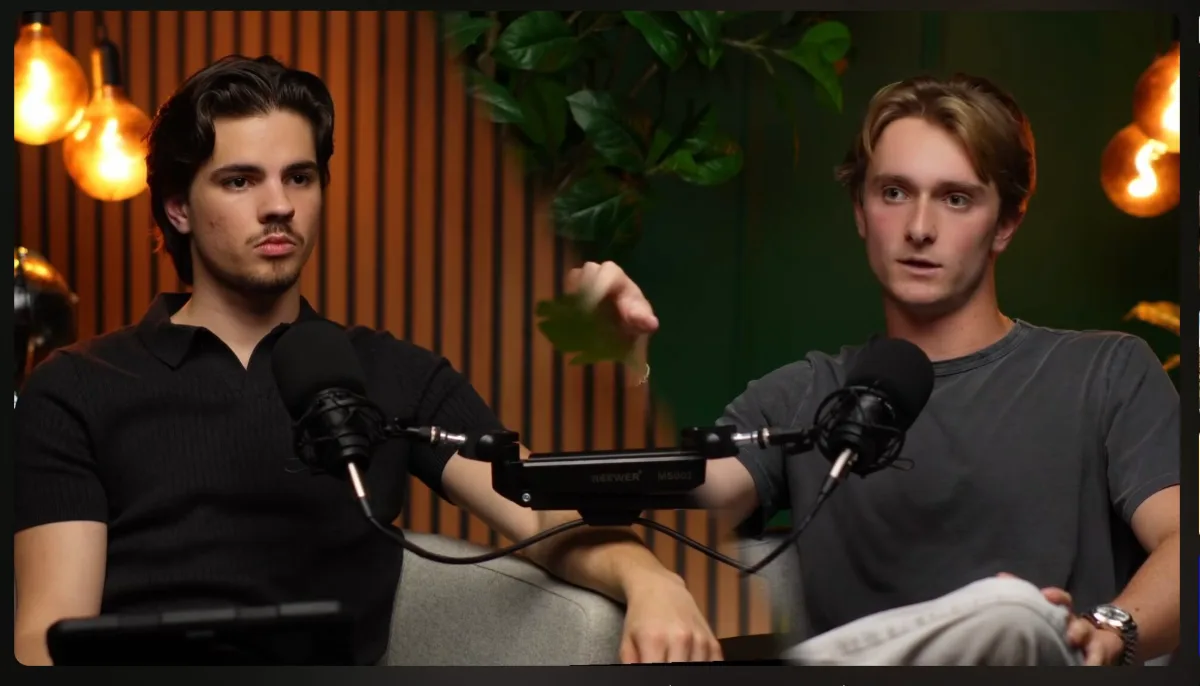
With two USB microphones there is a catch many people trip over. A laptop normally records only one USB microphone at a time. On a Mac you solve this with a so-called aggregate device in the Audio MIDI Setup, which combines both microphones into one.

It is even easier without a laptop at all. Each person gets their own Osmo Pocket, and the USB microphone plugs directly into the camera’s battery handle. That way every camera has its own clean audio, and you do not have to combine anything.

And then there is the edit. Every camera adds a track that you have to sync, color-match and use at the right moment. An hour of conversation quickly turns into several hours of work at the computer. That is the part many people underestimate.

If your guest cannot be on site, my article on remote podcast interviews will help you. And if you would rather build a fixed studio with a mirrorless camera and an XLR microphone, you will find the recommendations in the article on video podcast equipment.
Bonus

The mini camera on your T-shirt, my insider tip for interview podcasts

So, now comes what you have been waiting for all along.

Do you know the problem when you want to film the person opposite you head-on in an interview? The camera has to stand somewhere behind you, over your shoulder, next to your head, on a tripod that is in the way. Either the back of your head is in the shot, or you sit awkwardly turned to the side, or your guest keeps looking past you at that camera the whole time. Anyone who has ever filmed an interview knows how annoying that is.

My solution for this is the DJI Osmo Nano. That is a camera hardly bigger than your thumb that you clip to your T-shirt with a magnet like a lavalier microphone. The difference is that it does not film you but the person sitting opposite you.
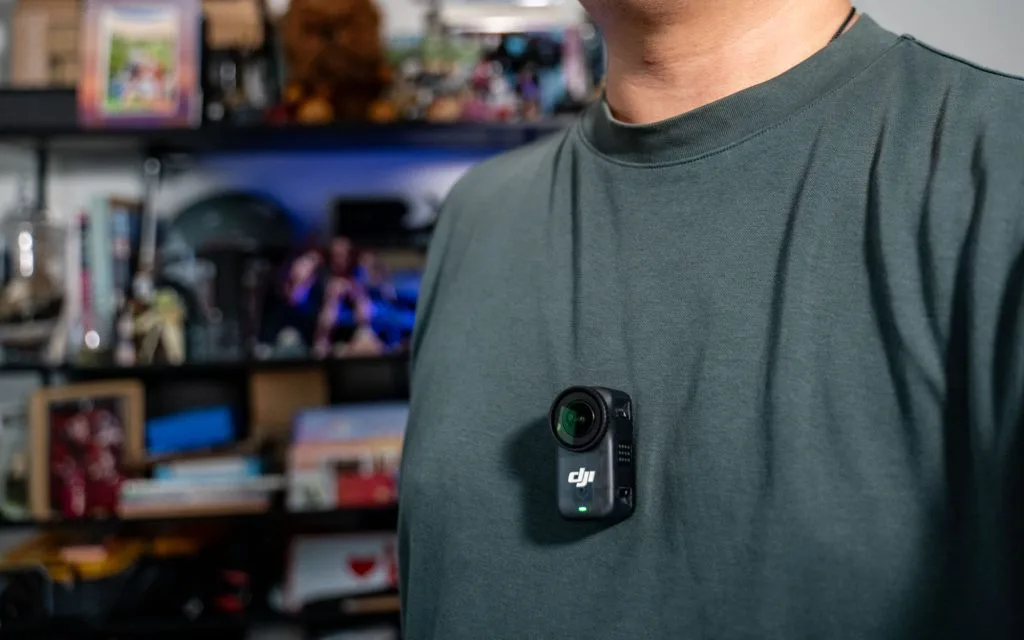
DJI Osmo Nano

And now think for a moment about what happens there. Your guest talks to you. They look at you, the way you do in a conversation. And because the camera sits on your chest, they are looking almost directly into the lens. You get a head-on shot with real eye contact, without a tripod between you, without cables, without your guest thinking about the technology for even a second. The camera is so small that you forget it after two minutes.

You do not know this from interview podcasts. And that is exactly what makes it so exciting. The Osmo Nano has only been around since fall 2025, and almost everyone using it is a creator filming action scenes and everyday vlogs. In podcasting, practically nobody uses it. Whoever starts now tests something everyone else does not even have on their radar yet, and gets a look that does not exist like this yet.

For me, this has what it takes to completely change interview podcasts in video format.

What the Osmo Nano can do

The Osmo Nano films in 4K at up to 60 frames per second, has a 1/1.3-inch sensor and weighs just 52 grams. According to DJI, the battery lasts around 90 minutes, with the dock up to 200 minutes. Add 64 or 128 GB of storage, expandable via microSD. It costs about €280 to €310, depending on storage.

More ideas for where to put it

The T-shirt is just the beginning. Because the Nano is magnetic and needs hardly any space, you can place it in spots where no normal camera fits. Here are a few ideas to try.

  • On the microphone arm, as a close-up of you for a third angle
  • Flat on the table, slightly from below, for an unusual angle in Shorts
  • On top of the laptop as an affordable B camera for solo episodes
  • On the shelf in the background for a wide shot showing both of you

What to watch out for

The Nano has a very wide angle of view. So film in 4K and crop the frame a bit tighter in the edit, then the image does not look distorted. Wear it as high up as possible, ideally close to the collar, so your guest is not filmed from below. And because the camera follows your every movement, you should sit reasonably still while listening. Whoever gestures wildly while listening makes the image restless.

A similar magnetic camera is also available from Insta360, the GO Ultra, for about €340 to €430. The principle works with both. But I would go for the Nano because it is cheaper and has the slightly less extreme angle of view.

Conclusion on the video podcast setup

A video podcast setup that stands out needs to be neither expensive nor heavy. A dynamic USB microphone and a gimbal camera with face tracking are enough for solo episodes and Shorts that stand out from the typical phone look. With a second camera and the mini camera on your T-shirt, it becomes an interview setup you can build anywhere and that hardly anyone has yet.

My tip: start with one camera and a good microphone. The second angle comes when you notice that your videos need more variety. How to build reach on YouTube with your recordings afterwards is in the article Growing your podcast’s reach on YouTube.

Frequently asked questions about the video podcast setup

For most podcasters the DJI Osmo Pocket 4 is the best choice. It has a 1-inch sensor, films in 4K, tracks faces automatically and costs about €500. The Osmo Pocket 3 is cheaper, the Insta360 Luna Ultra offers more image quality for around €730.

You connect a USB microphone directly to a laptop, smartphone or even the battery handle of the Osmo Pocket, without an audio interface. That makes your setup smaller, cheaper and faster to set up. Models like the Shure MV7+ or the Rode PodMic USB additionally have an XLR connection in case you build a studio later.

No, one camera is enough. A second camera makes the video more varied, though, and you can cut out slips without the image jumping. For interviews, one camera per person is the best solution.

With an Osmo Pocket 3 and a USB microphone from around €110 you start at about €400. With an Osmo Pocket 4 and a dynamic USB microphone like the Rode PodMic USB you are at about €700. How the costs of a podcast add up overall is covered in How much does a podcast cost?

You deliver the recordings, we do the rest.
We sync audio and video, edit the video and take care of thumbnails, clips and publishing. You invest one hour a week.
Book a free intro call Book your free intro call